
Access and trunk ports: one VLAN on a port, or many over one link
What an access port and a trunk port each carry, how untagged and IEEE 802.1Q-tagged traffic differ on a trunk, and how to configure and verify both on Cisco IOS XE.
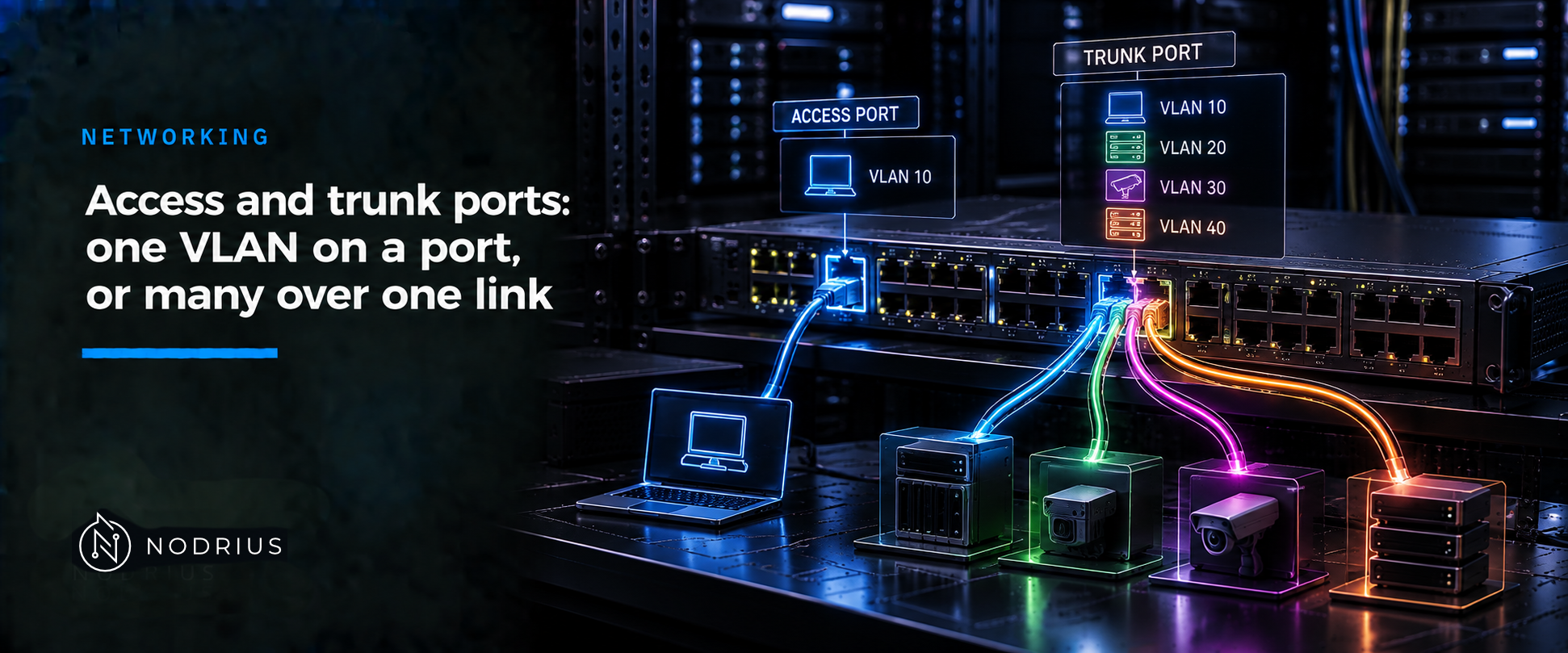
An access port carries the traffic of exactly one VLAN, untagged: the port itself is the VLAN membership. A trunk port carries several VLANs over one link and tags each frame with its VLAN using IEEE 802.1Q — except on one VLAN, the native VLAN, whose frames stay untagged. The difference between the two modes is the answer to that question: how many VLANs the link serves, and whether the far end can tell them apart from the frame.
The mental model: where the VLAN membership lives
A switch port answers one question: which VLAN or VLANs may this link carry, and how does the other end know which one a frame belongs to?
- On an access port the membership lives in the port: everything arriving is treated as belonging to the port’s access VLAN, and everything leaving goes out untagged.
- On a trunk port the membership lives in the frame: a field added to the frame names its VLAN, so one link can carry many.
That is why a host never needs to know about VLANs — its port does the work — and why both ends of a trunk must agree.
   host A ── access port, VLAN 10 (untagged) ─┐
                                              │  switch 1
   host B ── access port, VLAN 20 (untagged) ─┤
                                          Gi1/0/2  (trunk)
                                              │  VLAN 10  tagged
                                              │  VLAN 20  tagged
                                              │  VLAN 99  native, untagged
                                              │
                                          Gi1/0/1  (trunk)
                                              │  switch 2
   host C ── access port, VLAN 10 (untagged) ─┤
                                              │
   host D ── access port, VLAN 20 (untagged) ─┘
Terms you need
- Access port — a switch port that belongs to one VLAN, assigned manually.
- Trunk port — a point-to-point link carrying the traffic of multiple VLANs over one link.
- VLAN — a logically segmented switched network; traffic is forwarded and flooded only to ports in the same VLAN.
- IEEE 802.1Q tag — a 4-byte field inserted between the source address and the type/length field, with the checksum recomputed; it carries a 12-bit VLAN identifier (VID) plus a 3-bit priority. Its tag protocol identifier (TPID) is
0x8100. - Native VLAN — the one VLAN on a trunk whose frames are not tagged; VLAN 1 by default.
- Allowed VLAN list — which VLANs may cross the trunk; by default all VLAN IDs 1–4094.
- DTP — Cisco’s trunk-negotiation protocol; the default
dynamic autobecomes a trunk only if the neighbour asks.
The mechanism, step by step
- A frame arrives on an access port untagged; the switch places it in the port’s access VLAN. A tagged frame arriving on an access port is dropped, unless the port is a voice-VLAN port.
- A frame leaves an access port untagged.
- A frame leaves a trunk port tagged with its VLAN ID — unless that VLAN is the port’s native VLAN, which leaves untagged.
- A frame arrives on a trunk port: tagged, the switch reads the VID and uses that VLAN; untagged, it uses the native VLAN.
- The allowed VLAN list decides which VLANs are permitted at all.
Configuring both on Cisco IOS XE
An access port:
configure terminal
vlan 10
 name DATA
interface gigabitethernet 1/0/1
 switchport mode access
 switchport access vlan 10
end
A trunk port:
configure terminal
interface gigabitethernet 1/0/2
 switchport mode trunk
 switchport trunk native vlan 99
 switchport trunk allowed vlan 10,20
 switchport nonegotiate
end
switchport nonegotiate stops the port sending DTP frames; set the mode explicitly on both ends and use it towards devices that do not speak DTP.
Verifying without guesswork
No terminal output is reproduced; read these fields:
show interfaces gigabitethernet 1/0/1 switchport— theAdministrative Mode(access or trunk), theAccess Mode VLANand, on a trunk,Trunking Native Mode VLAN,Trunking VLANs Enabledand theAdministrative Trunking Encapsulation(dot1q).show interfaces gigabitethernet 1/0/2 trunk— the VLANs allowed and active on that trunk.show interfaces trunk— every trunk port on the switch.show vlan brief— which ports sit in each VLAN.
Limits and the common error
The common error is assuming a port is a trunk when it is not. A port left as an access port in the wrong VLAN, or a trunk whose allowed list omits the VLAN the host needs, produces a silent local outage: the frames are never carried. The default dynamic auto makes this worse — a link becomes a trunk only if the other side insists — so configure the mode explicitly.
A second trap is the native VLAN: because untagged frames on a trunk are assumed to be native VLAN, both ends must use the same one, or the same frame lands in different VLANs on the two switches. Cisco’s guidance is explicit — configure the same native VLAN on both sides.
Finally, a tag is not a security control: a trunk trusts the VLAN ID in the frame, and forging it — VLAN hopping by double tagging — is a separate subject [FACT TO VERIFY].
Level and prerequisites. L2 — operational: understand, configure and verify both port modes. Prerequisites: the L1 Ethernet frames and MAC tables sheet (the frame and the switch’s learning model) and the unicast/broadcast/multicast sheet (the broadcast domain a VLAN bounds); neither is re-explained. Tagging depth and the native VLAN’s design impact are separate sheets.
Where to go next
- Networking — the area this sheet belongs to.
References
- Cisco — VLAN Configuration Guide, Cisco IOS XE 17.18.x (Catalyst 9300): Configuring VLANs — VLANs as logical networks, port membership modes, static-access assignment, show commands.
- Cisco — VLAN Configuration Guide, Cisco IOS XE 17.13.x (Catalyst 9300): Configuring VLAN Trunks — trunking, trunk modes, allowed VLANs, native VLAN, configuration and verification steps.
- Cisco — Interface Characteristics Configuration Guide (Cisco IOS XE 17) — access-port and trunk-port definitions, the native VLAN default, the allowed-list default.
- Cisco — Inter-Switch Link and IEEE 802.1Q Frame Format (Doc ID 17056) — the 4-byte 802.1Q tag, TPID
0x8100, the VID, and the rule that the native VLAN is not tagged. - IEEE Std 802.1Q-2022 — Bridges and Bridged Networks (standard; not freely accessible as read, cited only to name the standard).
- Wikipedia — IEEE 802.1Q (secondary context only).