
STP and loop prevention: keeping a Layer 2 network loop-free
Why a Layer 2 loop becomes a broadcast storm, how STP elects a root and blocks the ports that would close a loop, and how to configure and verify it on Cisco IOS-XE.
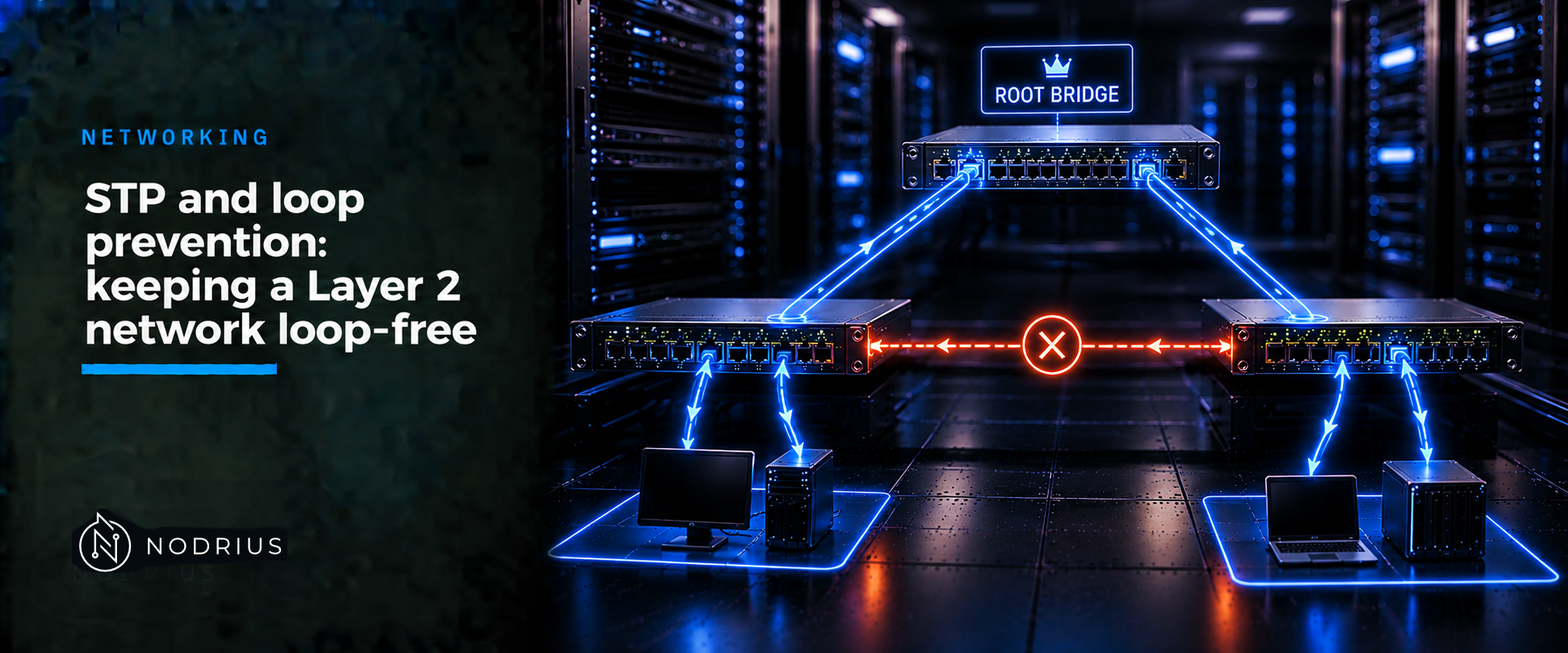
A switch floods broadcast and unknown-unicast frames out of every port in a VLAN except the one they arrived on. If the cabling contains a loop, those frames return on another port and are flooded again, and Layer 2 has no hop counter, so a frame that keeps circulating is never discarded. One frame becomes a traffic storm, MAC (Media Access Control) address tables flap between ports, and the segment stops carrying useful traffic. The Spanning Tree Protocol (STP) prevents this without unplugging anything: the switches elect one root bridge, compute a single loop-free tree, and block the ports that would close a loop, held in reserve for failover.
The model: a physical loop, a logical tree
One STP instance has exactly one root; every other switch keeps exactly one active path towards it. Redundant links stay plugged in but stop forwarding data.
                [SW1]   root bridge (lowest bridge ID)
               /     \
        root port     root port
             /         \
          [SW2] - - - - [SW3]
                  ^
      this link is alternate / blocked: forwarding on both
      ends would close the loop SW1-SW2-SW3-SW1

rules for one instance
  every switch except the root keeps ONE root port toward the root
  every segment keeps ONE designated port that forwards
  every remaining port becomes alternate or backup -> blocking
Terms. Bridge ID — a 2-octet priority plus the switch’s 6-octet MAC address, lower winning. Root bridge — the switch with the lowest bridge ID. BPDU (Bridge Protocol Data Unit) — the frame switches exchange to build the tree. Root port — a switch’s single best path to the root. Designated port — the one forwarding port per segment. Alternate/Backup — blocked standby ports. Path cost — accumulated link cost to the root.
How STP builds the tree, step by step
- Each switch sends configuration BPDUs to a reserved multicast address that bridges consume and never forward.
- Each BPDU carries the root bridge ID the sender believes in, its path cost to it, the sender’s own bridge ID, a message age, the sending port and the timers.
- A switch keeps the best BPDU it hears and discards inferior ones, so the best information spreads.
- The lowest bridge ID becomes root; with default priorities the lowest MAC address breaks the tie, so the root can be a switch nobody chose.
- Every non-root switch selects one root port (lowest cost to the root), and each segment gets one designated, forwarding port, held by the switch with the lowest cost.
- A port that is neither root nor designated becomes alternate or backup and is blocked — the block that breaks the loop.
- A blocked port still receives BPDUs but forwards no data; when an active link fails, STP recomputes and moves the alternate port to forwarding.
IEEE 802.1D moves a port through blocking, listening, learning and forwarding; Rapid STP (RSTP, IEEE 802.1w) collapses those into discarding, learning and forwarding.
A worked example
With SW1 as root, SW2’s port to SW1 is its root port. If SW3’s path through SW2 is cheaper than its direct link to SW1, SW3’s port to SW2 is its root port and forwards, while its port to SW1 is alternate and blocking. Unplug the SW2–SW3 link and SW3 loses that root port and moves the blocked port to forwarding. On Cisco IOS-XE the default mode is Rapid PVST+, so this runs per VLAN.
Configuration and verification
The reference platform is Cisco IOS-XE; the syntax is Cisco-specific, the concepts are not. Any change to the root, the priority or the STP mode forces a reconvergence and can briefly interrupt traffic, so use a maintenance window. Cisco’s PortFast caution warns that enabling it towards a switch or hub can prevent STP from detecting loops and cause broadcast storms, and that misusing root guard can cause a loss of connectivity.
! choose the root deliberately, then a backup; both change the topology
spanning-tree vlan <vlan-id> root primary
spanning-tree vlan <vlan-id> root secondary

! or set a priority explicitly (multiples of 4096; lower wins; default 32768)
spanning-tree vlan <vlan-id> priority <value>

! access ports that face a single end station only
interface <interface-id>
 spanning-tree portfast
! the same defaults, applied globally to nontrunking ports
spanning-tree portfast default
spanning-tree portfast bpduguard default
spanning-tree bpduguard enable

! guards against a switch that would otherwise rewrite the tree
spanning-tree guard root
spanning-tree loopguard default

! verify
show spanning-tree
show spanning-tree vlan <vlan-id>
Read the output for the root’s identity, this switch’s bridge ID and priority, the timers, and one line per interface with its role and state. Confirm the port on the redundant path shows an alternate or blocking role, and that the root is the switch you intended.
Limits and the common error
STP prevents loops; it does not add bandwidth. A blocked port carries nothing until needed, so redundant links give resilience, not throughput — bundling them for capacity is link aggregation’s job (LACP). STP also manages only the ports it sees: a hub or unmanaged switch on a PortFast access port can create a loop STP never learns about, and a unidirectional link failure can leave a port forwarding when it should block.
The common error is leaving the root to chance. With no priority set, the root is the switch with the lowest bridge ID — the lowest MAC address — so a newly installed switch can silently take over. The mirror error is disabling STP: Cisco states that with STP disabled and a loop present, excessive traffic and indefinite packet duplication can drastically reduce network performance. A blocked port is not a broken port — do not “fix” one STP blocked deliberately. Root guard on a port that must never accept a superior BPDU stops a switch from outside becoming root.
Level and prerequisites. L2 — operational. This sheet assumes the L1 fundamentals: how a switch forwards a frame, learns MAC addresses and floods broadcast and unknown-unicast frames. It names VLANs and trunks without re-teaching them; only the syntax is Cisco-specific.
Where to go next
- Networking — the area this sheet belongs to.
References
- IEEE Std 802.1D-2004 — Media Access Control (MAC) Bridges (standard; full text not freely available; superseded by IEEE 802.1Q-2014).
- IEEE Std 802.1Q — Bridges and Bridged Networks; IEEE Std 802.1w-2001 — Rapid Reconfiguration (standards; full text not freely available).
- RFC 4188 and RFC 4318 — the IETF Bridge and RSTP managed-object definitions, which mirror IEEE 802.1D and 802.1w.
- Cisco IOS-XE Catalyst 9300 documentation — Configuring Spanning Tree Protocol and Configuring Optional Spanning-Tree Features.
- Cisco support documentation — Troubleshoot Layer-2 Loops on Catalyst 9000 Series Switches and Troubleshoot MAC Flaps/Loop on Cisco Catalyst Switches.