Firmware, UEFI and the boot path: what runs before the operating system exists
Firmware initialises the platform, chooses what boots and verifies it — all below the OS.
When a server is switched on there is no operating system anywhere in it. Memory, devices and storage have to be initialised by something, something has to decide which of the attached devices to start from, and only then can an OS take control. That something is firmware, it is software, and it keeps running after the OS has started — which is why its version, its configuration and its trust model are part of the system’s state and not an implementation detail of the mainboard.
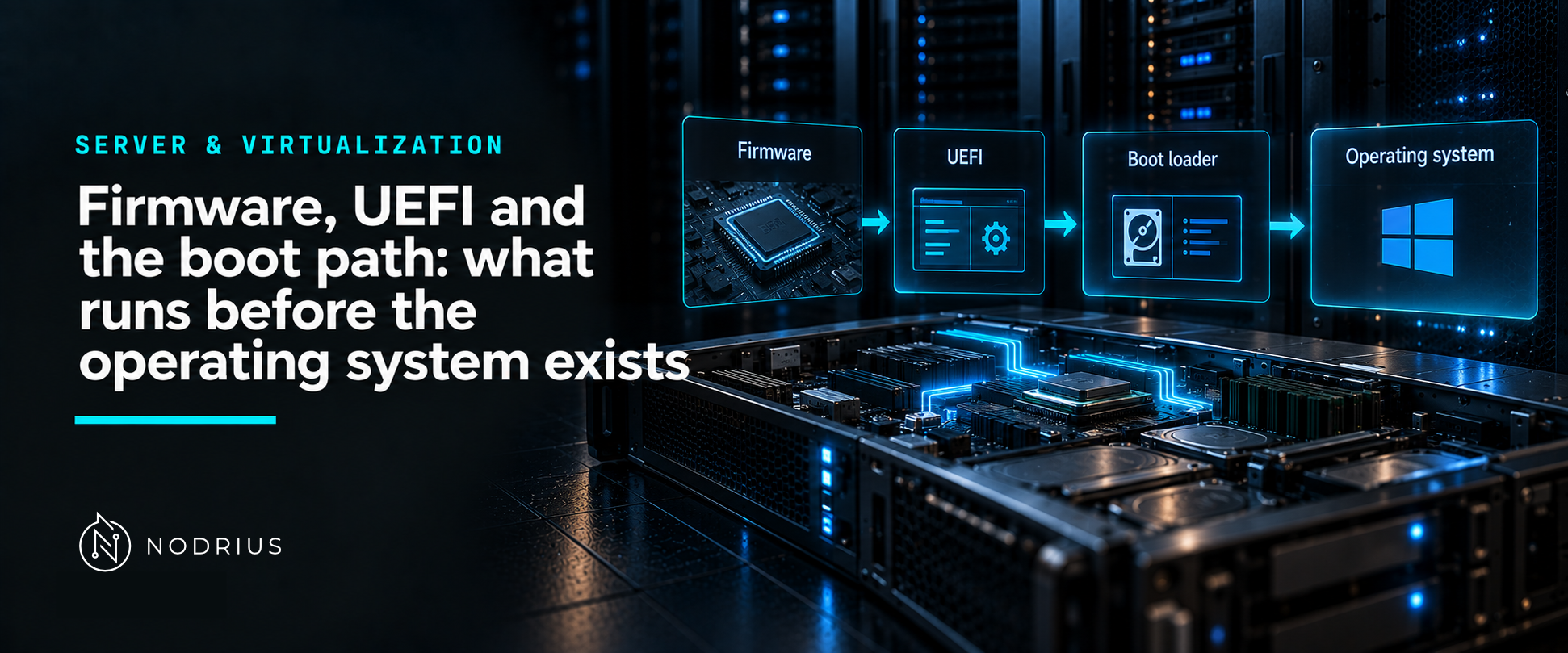
The model: from the power button to the kernel
power on
   ↓
firmware: initialise hardware, run the power-on self test (POST)
   ↓
boot manager: read the boot entries and pick one (boot order, boot mode)
   ↓
loader: an EFI application — a bootloader, or the kernel itself built as PE/COFF
   ↓  (Secure Boot: verify the signature of each piece of boot software)
operating system takes control
   ↓
firmware services remain available at runtime; the BMC stays awake independently
Terms used here
- Firmware — the software stored in non-volatile memory on the platform and its components; it runs before the OS and provides services to it.
- POST — power-on self test: the initialisation and basic hardware check that happens first.
- BIOS / UEFI — the two generations of platform firmware interface: the legacy one (BIOS) and the current one (Unified Extensible Firmware Interface).
- Boot manager / boot entry — the component that chooses what to start, and the records it chooses from.
- Boot mode — whether the platform boots in legacy mode or UEFI mode; it decides which partition layouts and loaders are usable.
- MBR / GPT — the two partitioning schemes: the legacy Master Boot Record and the GUID Partition Table.
- Secure Boot — UEFI’s signature check on boot software.
- BMC — baseboard management controller: separate firmware that runs even when the system is off (iDRAC, iLO, IPMI class).
Two generations of firmware interface
Legacy BIOS firmware reads a Master Boot Record: “a table of disk locations, or addresses, along with a certain length, of each of the partitions present on the disk”, read during the boot phase to decide what to start. The MBR layout “was designed for early computers and not flexible enough to accommodate newer disk configurations”, which is why the GUID Partition Table was introduced; GPT removes the practical partition-count limits of the old scheme (Microsoft’s own FAQ documents support for up to 128 partitions).
UEFI replaces that interface with a boot manager, boot entries and a defined execution environment. The practical consequences an administrator meets immediately are: which boot mode the platform is set to (and therefore which partitioning scheme and which loader are usable), and the presence of a firmware setup interface whose settings are not stored in the operating system.
The boot path, and who is verified
The last step before the OS is a program the firmware loads — and in UEFI that program is an EFI application. The Linux kernel is built this way by design: the kernel image “masquerades as a PE/COFF image” so that “EFI firmware loaders” will load it as an EFI executable; the code that makes this work is the EFI boot stub. So the thing being started is not “a bootloader” as a category but a specific executable format that the firmware understands.
That is also the point where Secure Boot acts. Microsoft’s documentation describes the mechanism as a signature check of “each piece of boot software, including UEFI firmware drivers (also known as Option ROMs), EFI applications, and the operating system”, against a pre-provisioned signature database, with keys in a chain: a Platform Key (PK), a Key Exchange Key (KEK) database and the image signature database. In other words: the firmware verifies what it is about to execute, and the trust is anchored in keys that live in the firmware — not in the operating system.
Where firmware configuration actually lives
Three consequences follow, and they explain most of the surprises in this area:
- Boot problems are firmware problems until proven otherwise. If the platform does not find the operating system, the first things to check are the boot mode, the boot entry and the boot order, in the firmware setup interface — not the OS.
- Firmware configuration is outside the OS. Settings, keys and versions live below the operating system, so an OS-level backup or configuration-management policy does not contain them.
- The BMC is a second, independent system. It keeps running when the server is powered off, and it is the interface through which the platform’s own settings and sensors are reached. Manufacturer manuals document these flows separately — Dell’s manual for a current PowerEdge, for example, has a system-setup-and-configuration chapter and a “minimum configuration to POST” section, and refers to a separate BIOS and UEFI Reference Guide for the model.
A common misconception: “BIOS and UEFI are the same thing” (and “Secure Boot makes the machine secure”)
BIOS and UEFI are two generations of the same role, with different data structures, different boot paths and different limits — which is why a disk prepared for one mode may not be visible in the other. And Secure Boot is narrower than it sounds: it verifies boot software against firmware-held keys, so it protects the integrity of the boot chain. It is not a statement that the operating system, the applications or the configuration loaded afterwards are trustworthy.
What to remember
- Firmware is software: it initialises the platform, provides services to the OS, and keeps running.
- The boot path is firmware → boot manager → an EFI application (which may be the kernel itself).
- Boot mode, partition scheme and boot order are firmware concepts and are decided before the OS exists.
- Secure Boot verifies boot software against keys stored in firmware: boot-chain integrity, not general security.
- The BMC is independent firmware: it is how a powered-off server is still reachable.
Level and prerequisites
L1 — fundamentals: the boot path and the vocabulary. Prerequisites: the idea of an operating system that must be started. Configuring boot order, managing Secure Boot keys, doing firmware updates and building a bootable device are operational material (L2–L3), and firmware/OS interaction at driver level belongs to Projects rather than to Knowledge.
Where to go next
- Server & Virtualization — the area this sheet belongs to.
References
- Microsoft Learn — Windows and GPT FAQ: the MBR as a table read during the boot phase, the MBR’s age and inflexibility, the reasons a new partitioning method was needed, and GPT partition counts.
- Microsoft Learn — Secure boot: the signature check over “each piece of boot software”, including UEFI firmware drivers/Option ROMs, EFI applications and the operating system, and the PK/KEK/signature-database key chain.
- Linux kernel documentation — The EFI Boot Stub: the kernel image as a PE/COFF image loaded by EFI firmware loaders.
- Dell — PowerEdge R750 Installation and Service Manual: the system setup and configuration chapter, the “minimum configuration to POST” section, and the reference to the model’s separate BIOS and UEFI Reference Guide.